


A set of data sources can be defined on the page to be used on it through the icon  .
.
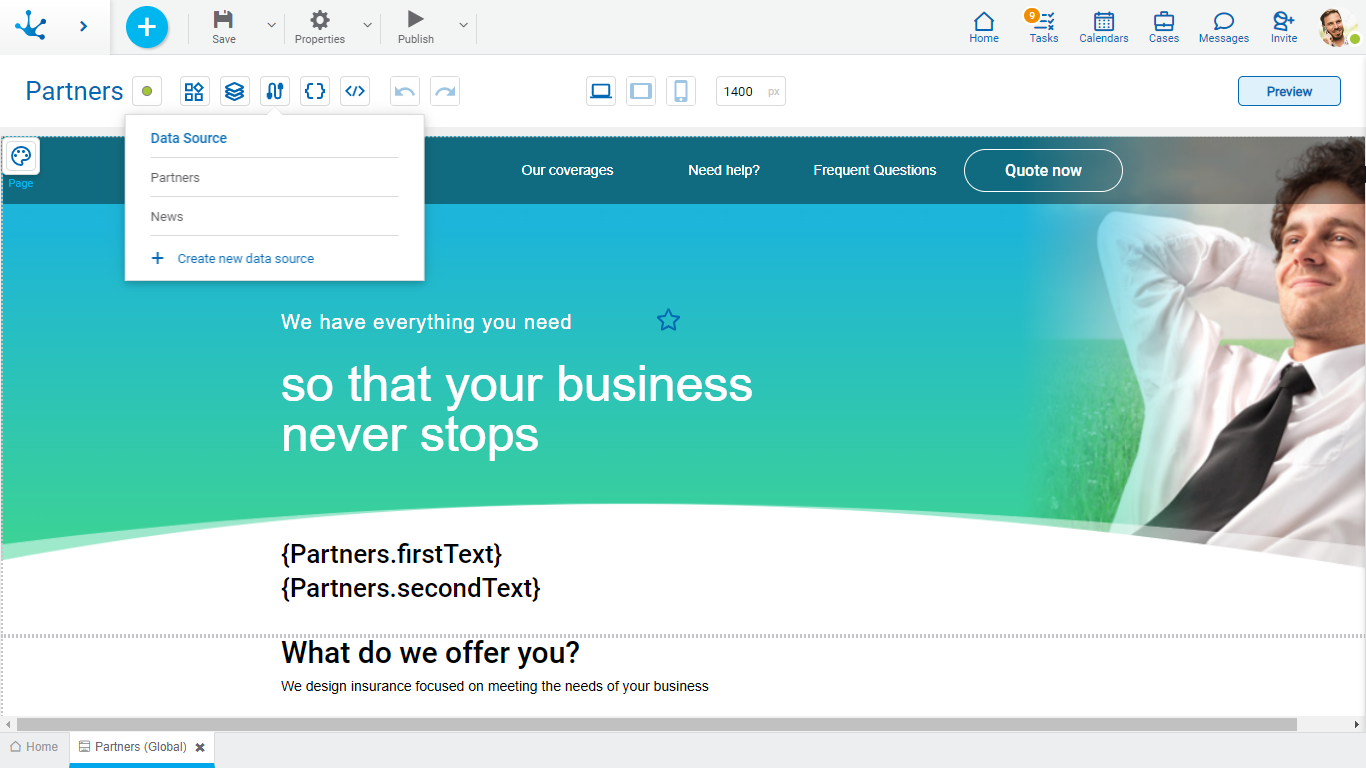
Operations can be performed on each line of the existing sources. Click on the icons  and
and  delete or update respectively.
A new data source can be created from the icon  . When defining a new data source or selecting an existing one, a panel with its information opens.
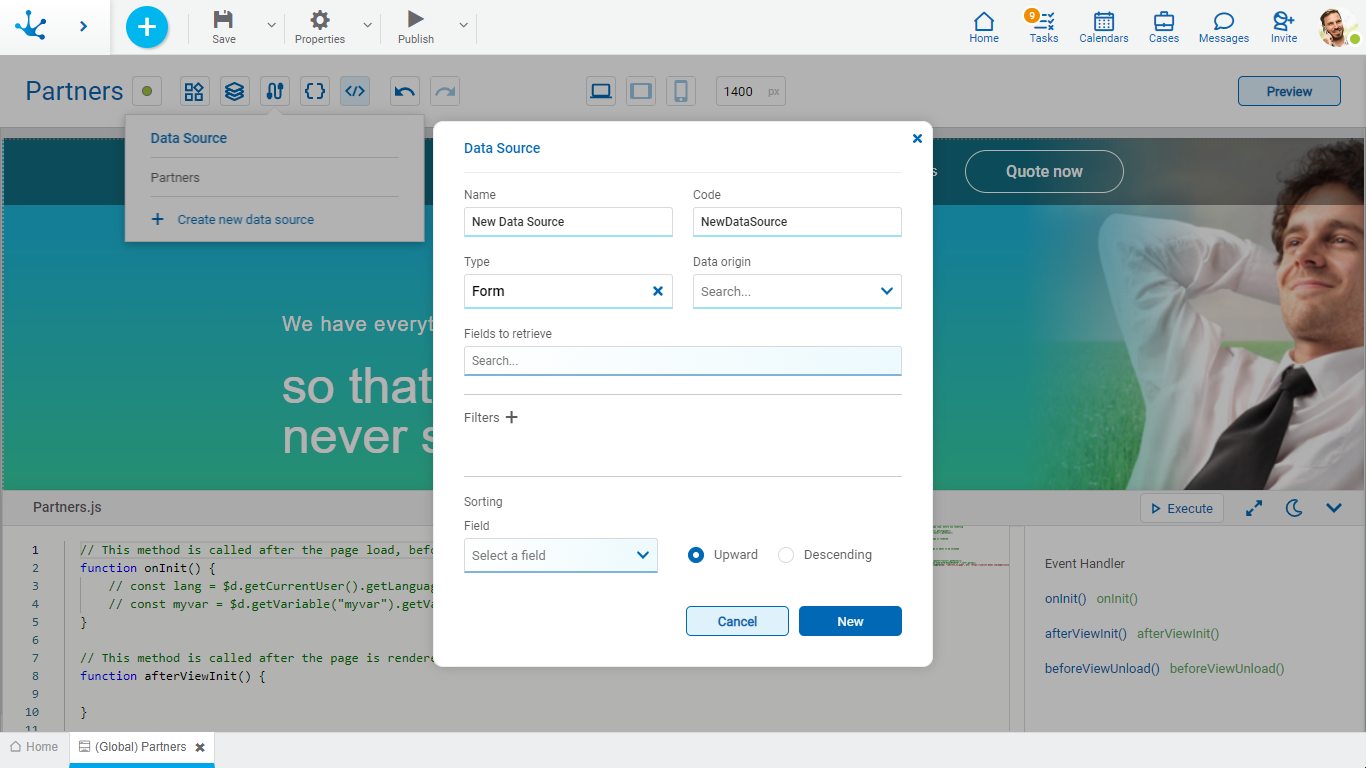
Properties
Name
It is the name used in the modeler to reference the data source.
Code
It is used internally to reference the data source.
Type
Determines the type of object from which the data is to be taken.
Data Origin
It allows to select the entity from which the data will be taken.
Fields to Retrieve
It allows to select the fields of the selected entity.
Filter
The icon allows a panel to be displayed with all the available fields to define the selection criteria of the data.
Depending on the type of field the filtering conditions are different, you can enter fixed values, variables or parameters and combine them using operators. Once the filter criteria have been defined, the "Add" button should be clicked so as to define the filter.
Filter Conditions
Numeric Fields
The value entered should be numeric.
Search criteria:
•Greater than
•Greater equal to
•Less than
•Less equal to
•Between
•With Data
•No Data
Alphanumeric Fields
Enter a text to search for.
Search criteria:
•Contains
•Equal to
•Starts with
•Does not start with
•No Data
•With Data
Date Fields
A calendar opens to select the date and it can be filtered using different search criteria.
Options:
•Today
•Last 7 days
•Current Month
•Current Year
•Last Month
•Last Year
•From (Requires selection of a start date)
•To (Requires selection of an end date)
•Range (Requires the selection of a start date and an end date)
•Equal (Requires selection of a date)
DateTime Fields
A calendar opens to select the date and time, it can be filtered using different search criteria.
•From
•Until
•Equal
•Range
Value Lists Fields
The list values are displayed.
Search criteria:
•Included
•Not Included
•With Data
•No Data
Sorting
Field
It allows to select the field the information will be sorted by in ascending or descending order.