

In Existing Applications


Implementing the design system into an existing application requires a careful approach to ensure a smooth transition and avoid disruptions in functionality.
Behavior in a Pre-Generated Application
An already generated application must continue to operate when implementing a design system. When opening pages and entities, the applied design system is displayed, although some properties may appear as modified. Pages and entities that are not published retain their original state.
Variable assignment, such as color assignment, is performed automatically whenever the color exists in the design system.
Steps for Implementation
The following steps should be followed when implementing the design system in a development environment to verify the correct functioning of the already modeled and operational applications.
1.Verify that the application functions correctly before implementing the design system.
2.Publish the most relevant pages and entities of the application, without publishing the entire application. At this stage, pages and entities do not yet have the associated design system.
3.Verify that the application continues to function correctly after this publication.
4.Publish the application so that pages and entities adopt the design system.
5.Access the modeler and verify that the page elements and entities are displayed correctly, without alterations.
6.Confirm that the application functions correctly after applying the published application design system.
If no errors are detected, a set of adjustments must be made to integrate the design system into the already implemented application.
Adjustments to Integrate the Design System
The most representative pages and entities of each application should be considered, and the styles and color codes of the main elements should be identified. These codes and styles can be copied and assigned to the corresponding color variables and elements, within the design system.
Modifications to Style Variables
It is essential to make all typography and color modifications in the tab "Style Variables", to maintain a centralized configuration and avoid individual changes in each interface.
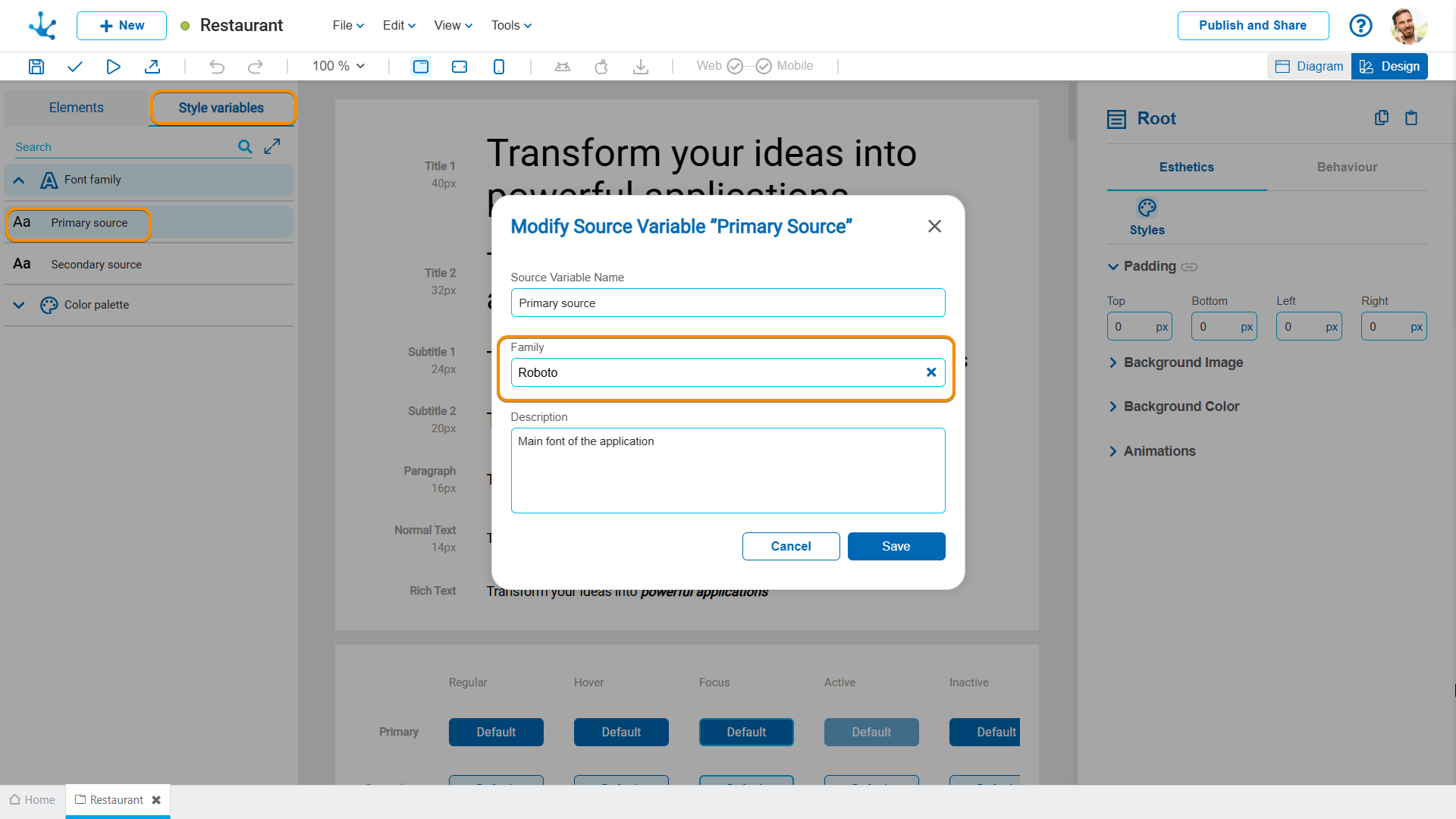
1.Check the font family defined in the variable “Font family” and edit it according to the fonts used in the application.
2.First, determine the base theme defined in the application properties, and then review the configuration in the variable “Color Palette”, where the same base theme must be selected to maintain visual consistency among all modeled elements.
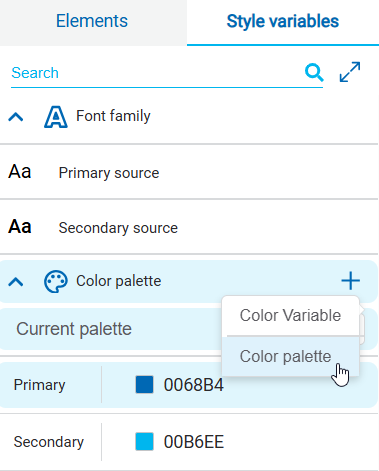
3.In the color palette, choose the appropriate base theme to automatically import the theme colors into the design system.

4.Once it has been verified that the theme colors are applied, configure the primary, secondary, and tertiary colors.
Primary Color
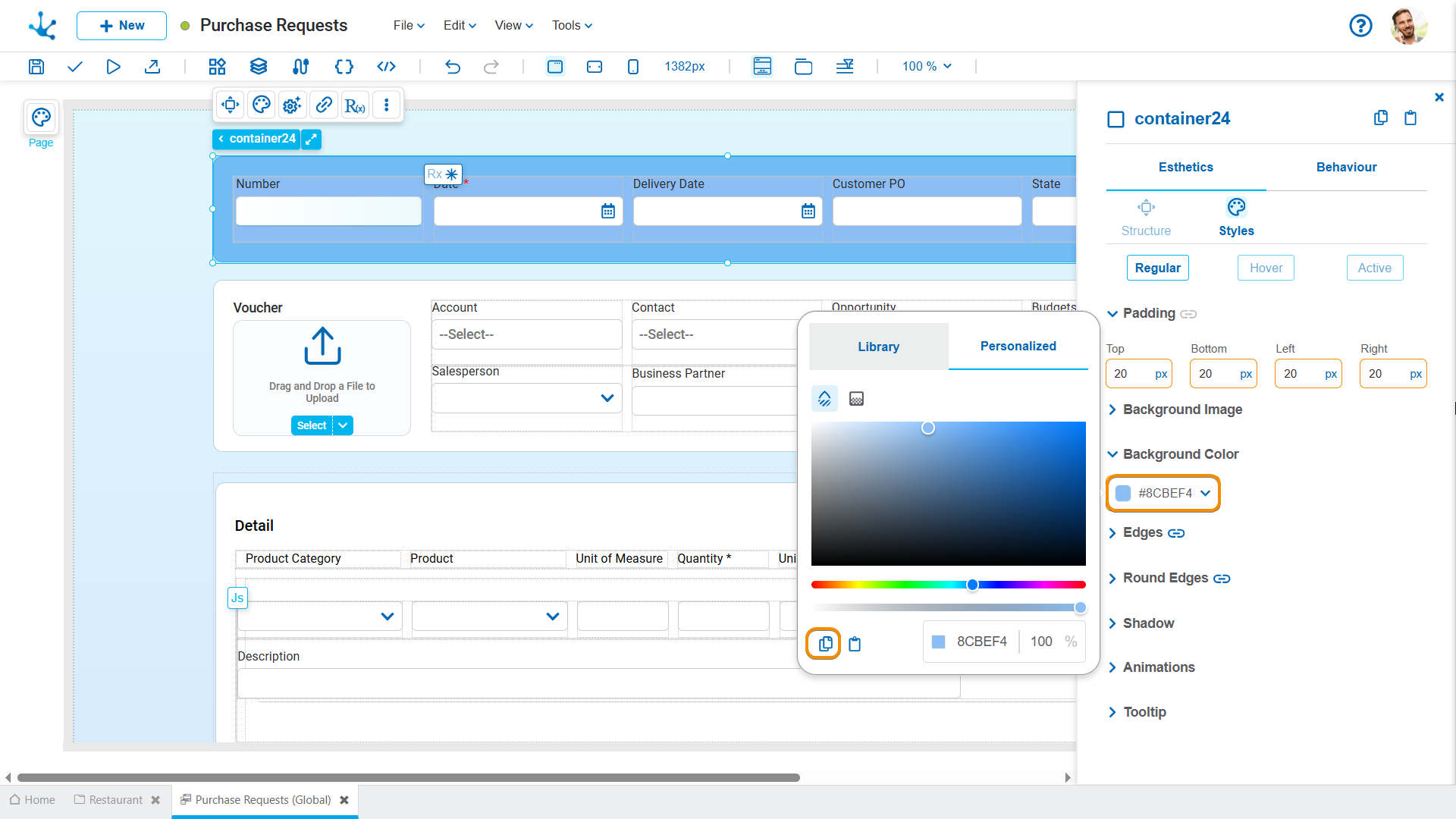
•In the most representative pages and entities of the application, obtain the color code of the main element.
•Select the icon to modify the primary color variable in the design system.
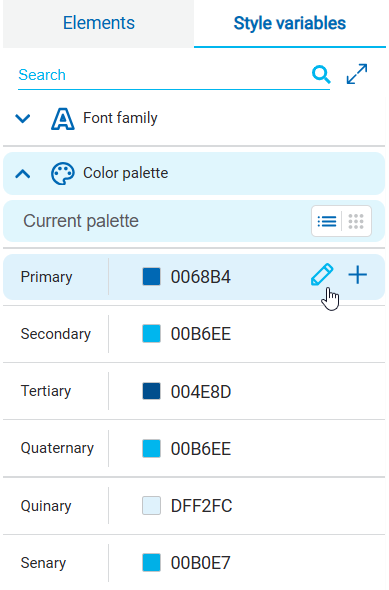
•Paste the element's color code into the primary color variable.

•Repeat this procedure for the secondary and tertiary color variables.
Modifications to the Elements
Within the "Elements" tab, subtype configuration is carried out, allowing the standardization of the behavior and appearance of user interface elements.
Subtype configuration includes the following actions:
•Review the most representative pages and entities.
•Identify the element that best defines each subtype in these objects.
•Apply their properties to the design system.
For each element type, it is necessary to review and configure their specific subtypes.
Text
For each text subtype:
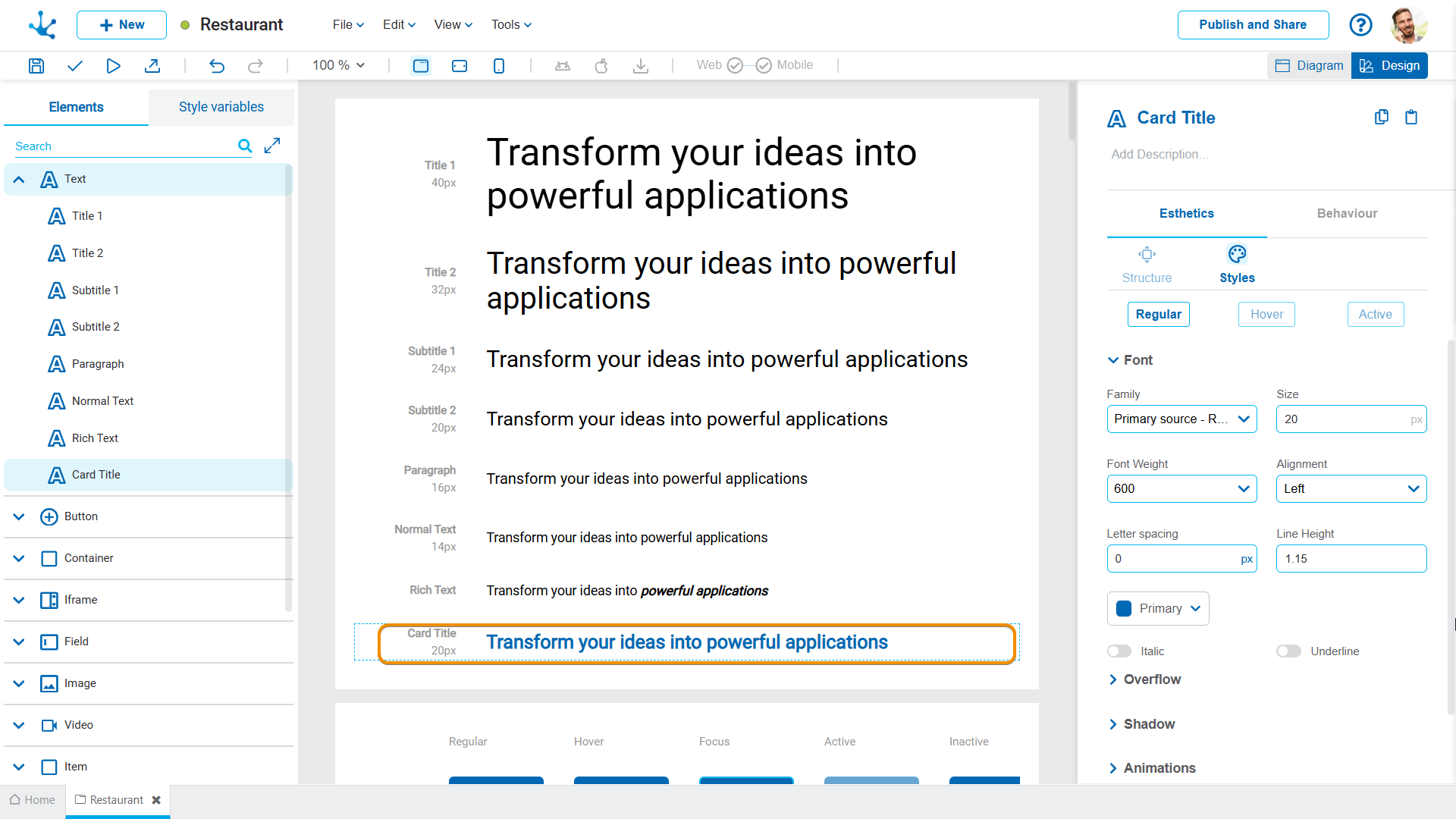
•Review the text hierarchy across pages and entities, and configure the design system to maintain visual consistency.
•Verify that the fonts are linked to the defined typographic variables.
•If the default text subtypes are not sufficient, new ones can be created, by assigning them a name and a clear description, for example "Card Title" corresponds to an added subtype.
Button
For each button subtype:
•In the design system, define the width and style.
•In the pages and entities of the application, review the font used.
The buttons implemented in the application should be reviewed, and their styles copied for each of their states.
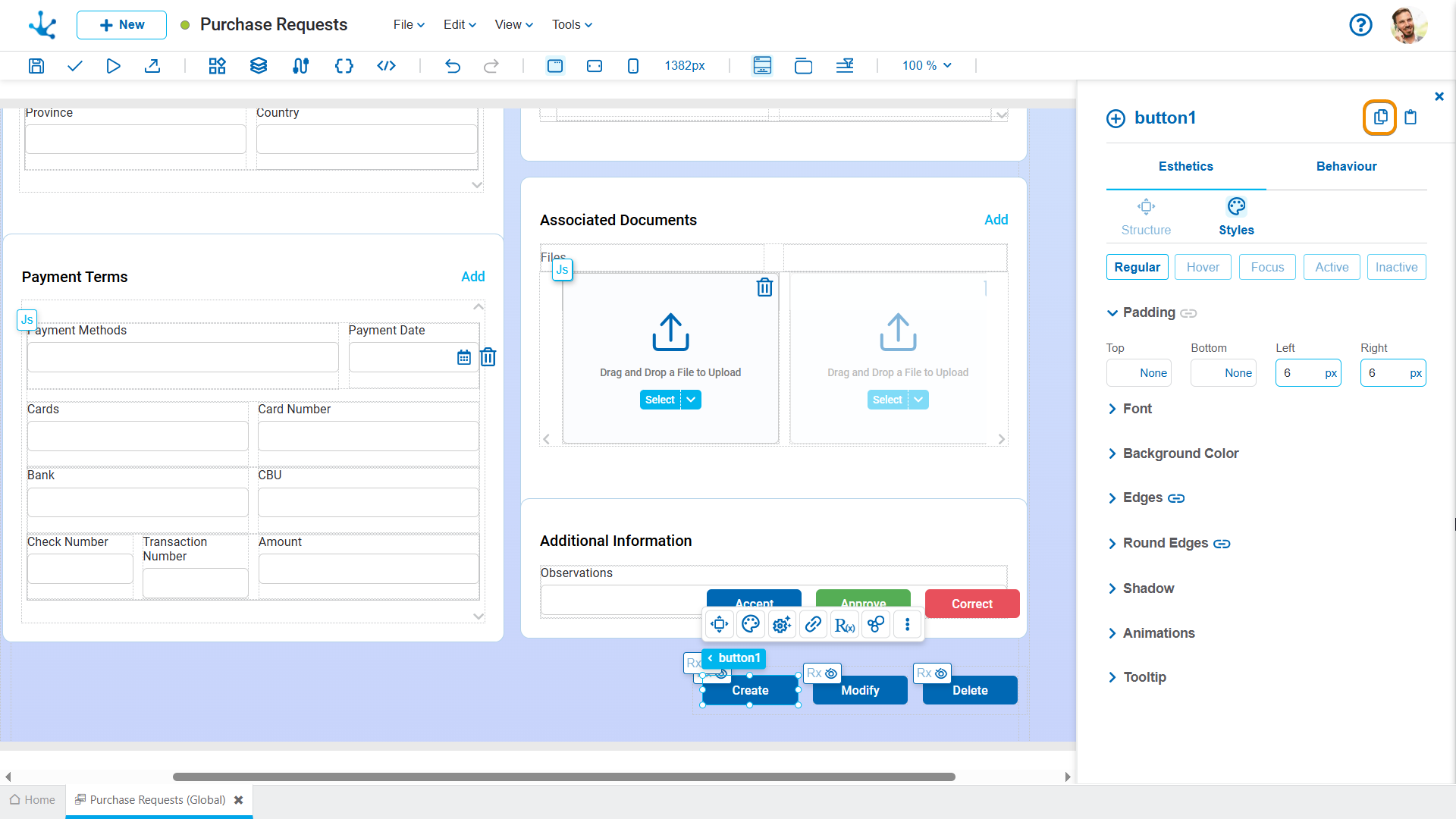
The copied style must be pasted over the button element subtype in the design system, for each button state.

Fields
For each field subtype, it is necessary:
•To define the working width in the design system by setting the percentage occupied by the element, for example, 12% or 100%.
•To identify the most representative field of the element in the application pages and entities, in order to incorporate it into the design system.
The fields implemented in the application should be reviewed, and their styles copied for each of their states.

The copied style must be pasted onto the corresponding element subtype in the design system.

Other Types of Elements
The same principles of review, identification, and subtype configuration described for texts, buttons, and fields must be applied. That is, by identifying the element in the application's pages and entities, copying its properties using the "Copy styles" option and pasting onto the corresponding subtype in the design system. In this way, each behavior of the element maintains the configured styles.
Some inconsistency may occur if, when copying and pasting, the source element uses a font or color defined outside of the design system. The design system must be checked to ensure that the configured subtype uses the style variables corresponding to the system. For example, for a text element, the background color must be one of those defined in the color palette.
Review the Pages and Entities with the Design System
Each element must be associated with the correct subtype from the design system.
On pages and entities, verify that the subtypes are not in the "modified" state that is, marked with an orange border. If any subtype has been modified, review the changed property and either select an existing subtype or standardize the modification in the design system.

Additional Considerations
Reusable Page
Reusable pages respect the design system of their own application. If a reusable page from another application is used, it maintains the design system of its source application.
Automatic Property Assignment
If the value of any property in the design system, such as color or font, matches the value of a modeled element on an existing application page or entity, the subtype name is automatically updated. This simplifies the adaptation of existing applications to the new design system.


