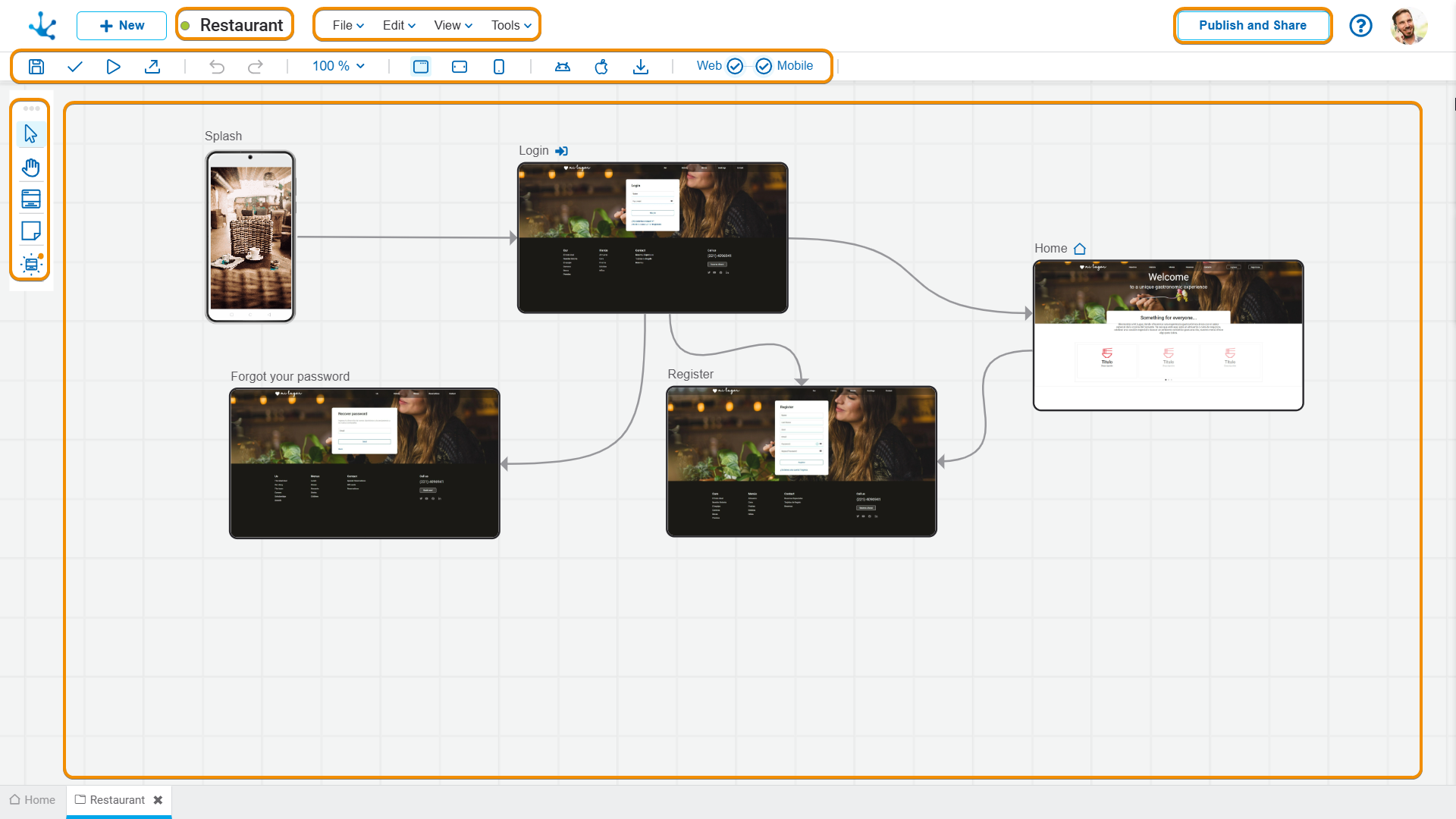

Modeling Facilities


The general characteristics of this modeler are specified below.
New Application
The modeler user defines a new application, that after being published can be accessed from the access path configured in the application properties.
When creating an application, the method of modeling it must be selected, thereby accessing the applications modeler, which comprises various sections.
Workspace Sections
•Application Information
-  State
State
- Name
•Publish and Share
When clicking on the the “Publish and Share” button, a panel opens with different options. If the application is not published, it allows modifying the property Access Path and click the “Publish” button".
If the application is already published, the following is displayed:
- A QR code to scan and display the application on a mobile phone or tablet.
- The application URL, accompanied by two icons:  to execute the application and
  to copy the URL