
View Submenu


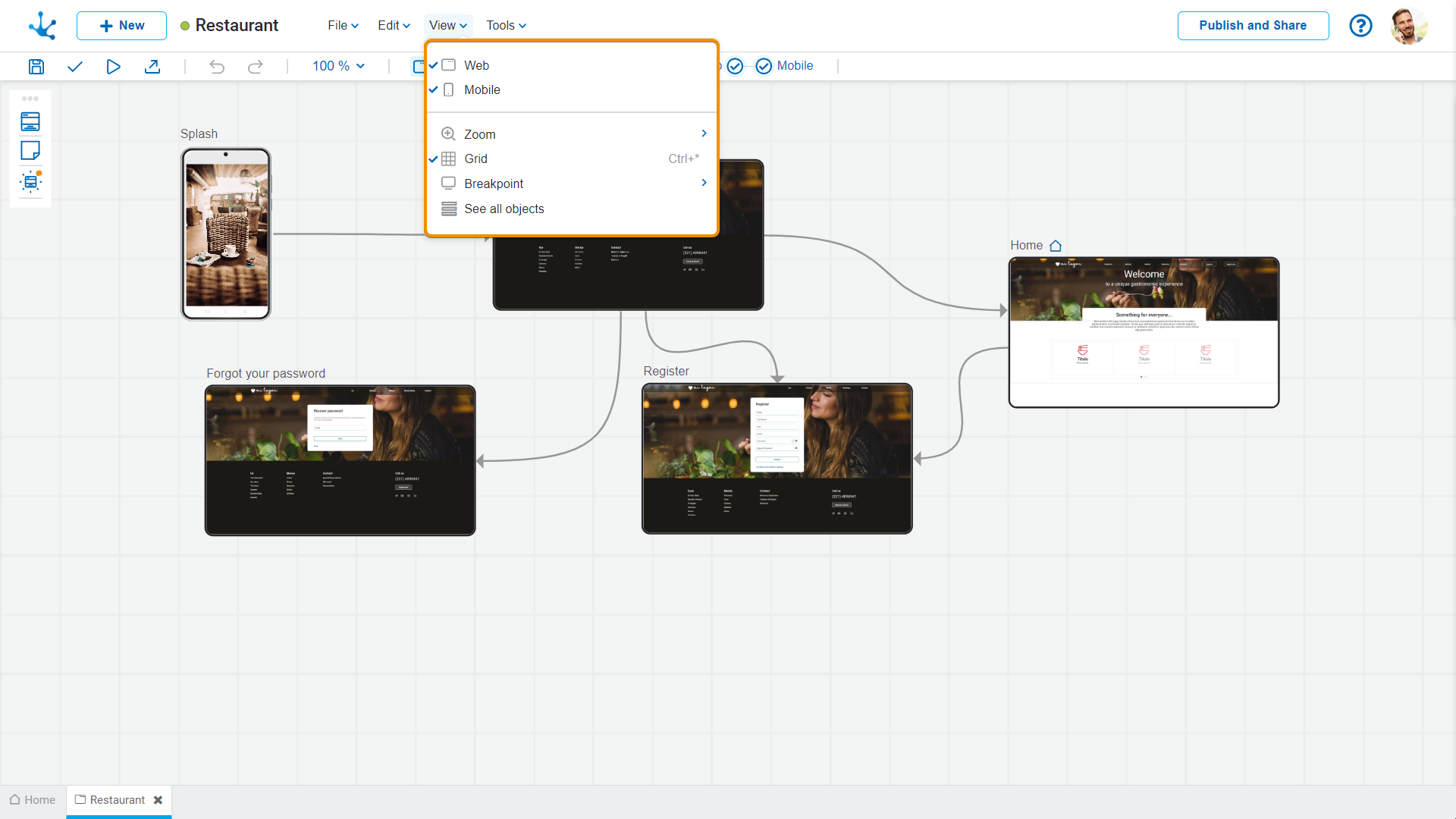
This submenu opens by clicking on the "View" option and allows to select different ways of displaying the application.
 Web
Web
When selecting this option, only web-type pages are displayed.
 Mobile
When selecting this option, only mobile-type pages are displayed.
Both options can be selected at the same time.
 Zoom
Zoom
By clicking on “Zoom” a secondary submenu expands, where it is possible to select the options :
•Zoom In (Ctrl++): Increases the display size of the diagram.
•Zoom Out (Ctrl+-): Decreases the display size of the diagram.
•50%
•75%
•90%
•100%
•125%
•150%
•200%
 Grid
Grid
This option provides grid lines that allow to perfectly align elements within the graphic modeling area.

By clicking on “Breakpoint” a secondary submenu expands, where it is possible to select the options :
•Desktop
•Tablet
•Mobile